Hair Styler App, AI Hairstyle
- 3.7
- Rating
- 1.00M
- Installs
- Free
- Price

 Analysis by App-foxy
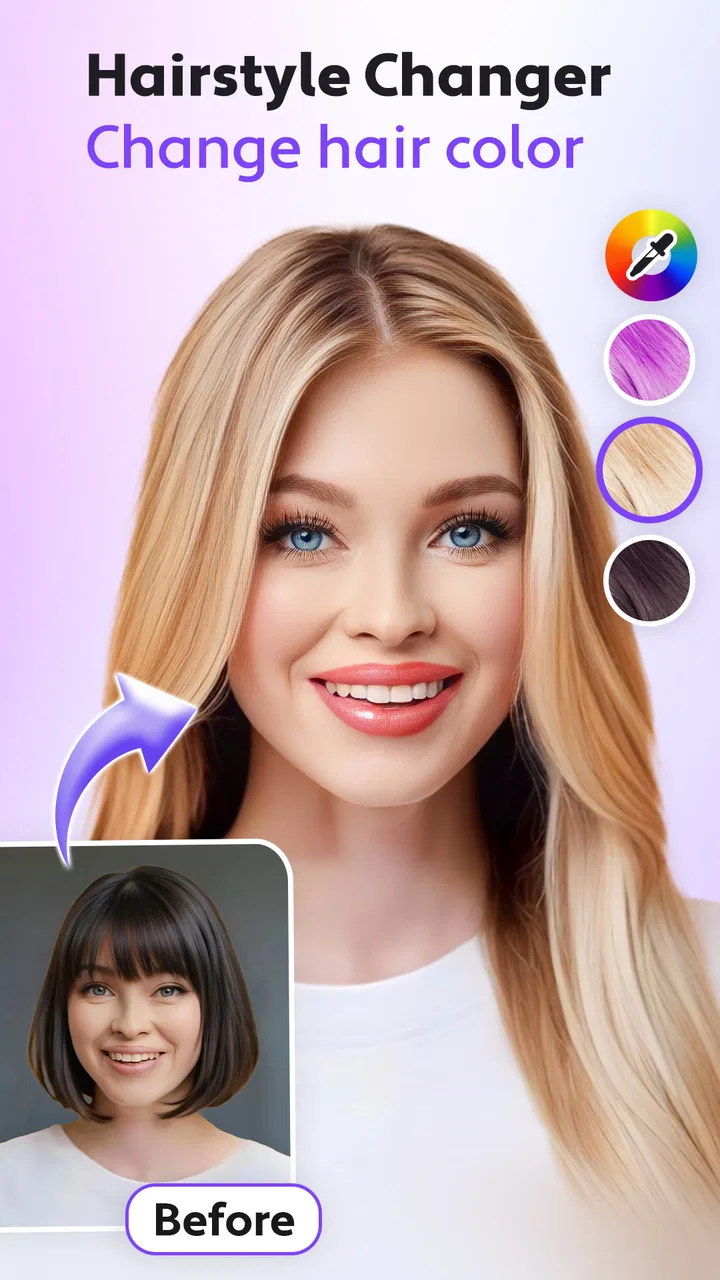
I tried Hair Styler, AI Hairstyle as a quick way to preview changes before making a real appointment, and I found that its appeal is easy to understand: it turns hair experimentation into something you can do privately, without explaining your idea to a stylist first. It is a photography app from AI Photo Generator, AI Chat, focused on virtual hair color, haircut, and buzz-cut effects. The basic download is free, and the Everyone age rating makes it approachable for a broad audience.
My overall impression is mixed but useful. The app is more valuable as a visual conversation tool than as a perfect prediction of how a haircut will look in real life. It can help someone narrow down a color family, compare a few different directions, or simply have fun with a selfie. At the same time, people who need highly precise results, detailed controls, or a fully comfortable experience with every part of the interface may find it limiting.
How Hair Styler handles readability and navigation
The first thing I noticed is that the app’s purpose is fairly easy to grasp. It is not trying to be a complete photo editor with dozens of unrelated tools. The central idea is hair experimentation, so the most natural workflow is to choose or create a photo, select a hairstyle or color direction, and inspect the result. That focused scope helps users who become overwhelmed by crowded editing apps.
You May Also Like

 Blood Strike: 2.5 Anniversary
Blood Strike’s Loadouts Turn Every Drop Into a Tactical Gamble
A close look at Blood Strike’s custom loadouts: how fast access to signature weapons reshapes its battle royale rhythm, rewards preparation, and narrows the gap between fights.

 Pandora - Music & Podcasts
Pandora’s Music Is Easy to Start, but Harder to Recover
Pandora’s strength is its low-effort path from a seed to a station. Its weak spot is how much confidence it asks you to place in connection, setup, and quiet recovery.

 8 Ball Pool
 Is Built on Rivalries, Rematches, and Routine
A close look at the rivalries, rematches, shared routines, and unanswered safety questions that turn a quick pool match into a persistent mobile community.

 Samsung Music
’s Quiet Strength Is Playing What You Already Own
Its reach comes less from spectacle than from dependable access to a personal library. That simplicity is both the app’s strongest retention engine and its ceiling.

 AccuWeather: Weather Radar
AccuWeather Review: A Quick, Clear Forecast for Everyday Decisions
For everyday plans, the best forecast is the one you can understand quickly. AccuWeather makes rain timing, radar, and local conditions easy to act on, with a few trade-offs.

 Hill Climb Racing
Why Hill Climb Racing Still Turns Crashes Into One More Run
A tiny car, a bumpy hill and one more upgrade: Hill Climb Racing keeps resurfacing because its simple chaos makes every near-miss feel personal.
More From Our News Desk
View All News


The short name, Hair Styler, also makes the app’s role clear before opening it. Once inside, the important question is whether the available choices remain understandable when several AI-generated looks are shown together. I found that the experience works best when I treated each result as a separate suggestion rather than expecting a precise control panel. This is a useful distinction for anyone who prefers simple navigation over technical editing.
The strongest accessibility advantage is the low learning curve. You do not need to understand layers, masks, curves, or professional retouching terminology to begin. Someone who has never used a portrait editor can approach it as a visual try-on tool. That makes it especially suitable for a person who wants to explore ideas before asking a friend, family member, or salon professional for an opinion.
Readability still depends on the phone and the image being used. Hair details can become difficult to judge when the source selfie is small, dark, heavily filtered, or taken from an unusual angle. I recommend starting with a well-lit front-facing photo and checking the preview at a comfortable zoom rather than judging only from a small thumbnail. This is not just a quality tip; it also reduces the need to interpret tiny visual differences.
The app’s free entry point is helpful for casual users who want to test the basic experience before spending money. There are in-app purchases ranging from $2.99 to $49.99 per item, so I would advise checking what is included on the specific screen before confirming anything. That price range matters for users who need predictable costs or who may accidentally tap through several optional results while exploring.
At the time of my review, the app was on version 2.9.12 and required Android 7.0 or later. That gives it a relatively broad Android reach, including many older devices, although the smoothness of AI image processing will still depend on the phone. A person using an older handset should expect the visual workflow to feel less immediate than it might on a newer model.
Making the visual workflow easier to follow
I found it helpful to work in small batches. Instead of generating every possible color and cut at once, I would first compare broad choices such as lighter versus darker hair, then move to the shape of the cut. This produces a cleaner decision process and is easier for anyone who finds large sets of similar images tiring or confusing.
For users with reading difficulties, the image-led nature of the app may be more comfortable than a text-heavy beauty guide. The practical meaning of a style is visible in the result, rather than hidden behind a long description. However, visual-only communication can create its own problem: users who need detailed verbal explanations may not learn exactly what technique or maintenance routine a generated look represents.
That is why I would not use the preview as the only information source before a major change. I would save one or two preferred images, then describe the desired length, shape, and color to a professional. The app helps with the visual reference, but it does not replace a conversation about texture, upkeep, or whether a particular result is realistic for an individual’s hair.
Motor, sensory, and situational considerations
Hair Styler can be convenient for people who have limited time, limited mobility, or simply do not want to travel to a salon before deciding what they might like. A phone-based preview lets someone explore from home, at their own pace. In that sense, the app supports a useful form of independence: the user can make an initial choice without relying on another person to describe what a style might look like.
It is also a good fit for a realistic everyday situation. Imagine someone preparing for a job interview, a family event, or a first visit to a new barber. They may know they want a change but feel uncomfortable explaining it. Taking a selfie, testing a few restrained hair colors, and showing the most convincing result to the stylist can make that conversation less stressful. The app is particularly useful when the user needs a visual starting point rather than a final answer.
For people with motor difficulties, the main benefit is that the process can be completed with ordinary phone interaction rather than precise desktop editing. The trade-off is that selecting a photo, positioning the face, and comparing results may still require repeated taps and gestures. If holding a phone steady or making small selections is difficult, the experience may be easier with a stand, voice-assisted phone controls, or help from a trusted person.
I would also be cautious about using it during fatigue or in a rushed setting. AI previews encourage quick experimentation, but a tired user may accept the first appealing image without checking whether the hair shape is actually visible or whether the color is being distorted by lighting. For anyone with attention-related difficulties, a simple rule works well: make one change at a time, save only the strongest options, and stop once the comparison becomes repetitive.
Sensory preferences are another important part of the experience. Looking at a rapid sequence of edited faces can be tiring for users who are sensitive to visual changes, strong contrast, or busy screens. I found that reviewing still images one by one was more comfortable than rapidly switching between many possibilities. Lowering screen brightness and taking breaks can make the process less demanding, especially when the app is being used for more than a few minutes.
Why the source photo matters more than expected
The quality of the selfie has a direct effect on how useful the result feels. A clear image with the hair separated from the background gives the app a better visual starting point. Loose strands, hats, deep shadows, and extreme angles can make the preview less convincing. This is one of the most important practical tips because a disappointing result does not always mean the selected style is poor; sometimes the original photo simply gives the editor too little information.
People with textured, very short, covered, or unusually styled hair may need to interpret results with extra care. A generated image can suggest a general direction while missing the way real hair falls, coils, lifts, or reflects light. I would use the app to discuss possibilities, not to promise that the same shape will appear after a cut or that a color will process identically in person.
The same caution applies to facial presentation. If a user wants to share the image with a stylist, it is better to keep the edit focused on hair and avoid treating the rest of the generated portrait as a realistic representation. This keeps the conversation practical and reduces pressure to match an artificial image exactly.
Situational access beyond the home
The app’s strongest context is private planning. Someone can explore a new look before entering a salon, compare an idea with an existing wardrobe, or show a family member a visual reference. It can also help a user who communicates more comfortably through images than through spoken descriptions. That is a meaningful advantage for people who find salon consultations intimidating or difficult to navigate.
It is less suitable when the user needs a professional consultation immediately. A stylist can assess hair condition, density, previous color treatments, and maintenance demands in ways an AI preview cannot. If the decision involves bleaching, a dramatic correction, or a style that depends heavily on hair texture, I would move quickly from the app to an experienced professional rather than relying on repeated virtual tests.
The app may also be useful for families or support workers helping someone choose a change. Showing a few side-by-side possibilities can make the decision more concrete, but the person receiving the haircut should remain in control of the choice. I would avoid using the generated image to pressure someone into a style simply because it looks fashionable or because another person prefers it.
For users with limited data access or an unreliable connection, the practical experience may be less convenient if image generation depends on active processing. I would plan to use it when the phone is charged and connected reliably, rather than waiting until the last moment before an appointment. That small preparation step prevents the app from becoming an extra source of stress.
Where the app still creates barriers
The biggest barrier is the gap between an attractive preview and a realistic expectation. Hair is three-dimensional, and a phone image cannot fully show how a cut will move, how much styling it needs, or how a color will look under different lighting. Users who interpret the result literally may be disappointed, especially after a dramatic transformation.
Another limitation is the balance between simplicity and control. The focused interface is easier than a professional editor, but it also means fewer opportunities to fine-tune the exact outline, length, fringe position, or color intensity. If you want pixel-level adjustments or a carefully controlled composite, a conventional photo editor may be a better choice. Those apps take longer to learn, but they usually provide more deliberate control.
The purchase structure can be another point of friction. The app is free to start, but optional items can cost from $2.99 to $49.99. Users who are budgeting carefully should decide in advance whether they are only exploring the free experience or are willing to pay for additional options. I would not treat every generated look as equally valuable; save the ones that genuinely help you make a decision.
The public response suggests a reasonably large audience, with an average rating of 3.6 from around 15 thousand ratings and more than 1 million installs. I read that as a sign of broad curiosity rather than proof that the app will satisfy everyone. The rating is neither a warning to avoid it nor a guarantee of polished results on every phone. It fits my own impression: enjoyable and practical in the right situation, but not a replacement for a serious consultation or a full editing suite.
Privacy-minded users should also think carefully before uploading personal portraits to any image tool. I would choose a neutral photo, avoid including other people in the frame, and remove the image from the device later if I no longer needed it. These are sensible habits for a photography app, particularly when the picture is a recognizable face.
Who should use it, and who should skip it?
I recommend Hair Styler to people who want a low-pressure way to explore hair colors and cuts, especially before speaking with a barber or stylist. It is also a good casual choice for friends comparing ideas, for someone nervous about making a visible change, or for users who prefer visual references over explaining a style from memory.
I would be more hesitant to recommend it to someone seeking exact professional visualization, detailed accessibility controls, or a guaranteed match to their real hair. It is also not the best option for users who dislike AI-generated alterations, who need a fully manual editing workflow, or who cannot comfortably manage image selection and repeated tapping on a phone.
Compared with a salon consultation, the app is cheaper and more private, but much less reliable for judging maintenance and feasibility. Compared with a general photo editor, it is faster and more focused, but less adjustable. Compared with simply browsing hairstyle photos, it gives a more personal reference because the look is placed on the user’s own portrait, while still carrying the risk of unrealistic results.
My best workflow is to take one clear, front-facing photo, try a small number of noticeably different options, and keep the results that communicate a specific idea. I would then ask a professional what needs to change for the look to work with my actual hair. This approach uses the app for what it does well without asking it to solve problems it was never designed to solve.
In the end, Hair Styler, AI Hairstyle is a useful photography app for visual exploration rather than a definitive makeover simulator. Its focused concept, free starting point, and broad Android compatibility make it easy to try, and its Everyone rating supports casual use across a wide audience. The developer, AI Photo Generator, AI Chat, has created something approachable for quick experimentation, but the experience still depends heavily on the source image, the user’s expectations, and comfort with optional purchases.
My inclusive verdict is positive with clear limits: I would keep it for planning, inspiration, and making salon conversations easier, while reminding myself that the final decision belongs to the person wearing the haircut. If you value simple visual experimentation and can judge generated images critically, it is worth trying. If you need precision, extensive controls, or a fully predictable result, a professional consultation or a more traditional editor will serve you better.
FAQs for Hair Styler App, AI Hairstyle
01What is the AI Hairstyle app, and how does it work?
The AI Hairstyle app is a cutting-edge tool that uses artificial intelligence to help users explore different hairstyles. By uploading a photo, the app analyzes your facial features and suggests styles that suit you best. It offers a virtual try-on feature, allowing users to see how various hairstyles will look before making any changes.
02Is the AI Hairstyle app free to use, or are there in-app purchases?
The app offers a free version with basic features, allowing users to try on a limited selection of hairstyles. However, for full access to a wider range of hairstyles and advanced features, users can opt for in-app purchases or a subscription model. This enables a more personalized and extensive experience.
03What platforms is the AI Hairstyle app available on?
The AI Hairstyle app is available for both Android and iOS devices. Users can download it from the Google Play Store or the Apple App Store. Ensure your device meets the app's compatibility requirements for optimal performance and user experience.
04How accurate are the hairstyle predictions made by the app?
The app utilizes advanced AI algorithms to provide accurate hairstyle predictions by analyzing facial features. While it offers a realistic preview, individual results may vary due to differences in hair texture, color, and lighting in photos. It's a great tool for inspiration but should be complemented with professional advice.
05Can the AI Hairstyle app assist with hair color changes as well?
Yes, the AI Hairstyle app includes features that allow users to experiment with different hair colors virtually. This feature helps users see how various shades complement their skin tone and style, providing a realistic preview before committing to a new color at the salon.
Pros
- Wide variety of hairstyles to choose from.
- Realistic AI-generated hair previews.
- User-friendly interface with easy navigation.
- Regular updates with new styles.
- No ads in the premium version.
Cons
- Limited features in the free version.
- Requires a stable internet connection.
- Some styles may not fit all face shapes.
- Occasional app crashes reported.
- Premium version is relatively expensive.

Hair Styler App, AI Hairstyle
Gallery